
Turn Talk into Decisions: Evidence Based Meeting Facilitation Skills
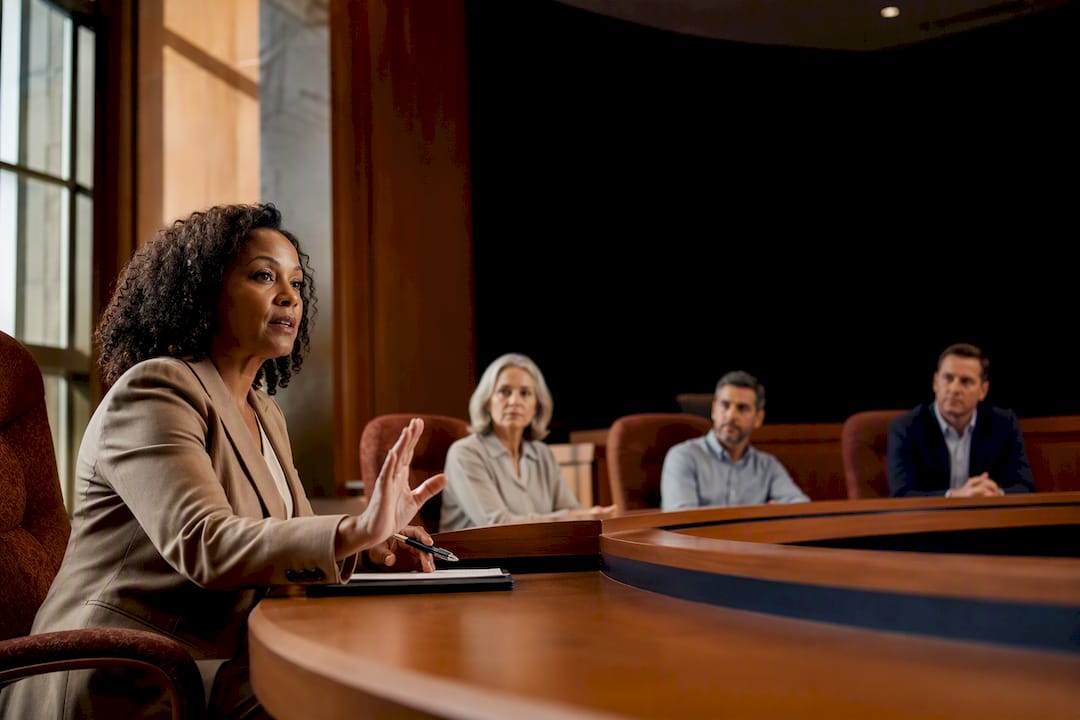
Facilitation is process leadership that converts group time into decisions and accountable next steps, not a personality trait some people have and others don’t. The three skills that produce the fastest improvement are active listening, a clear purpose paired with a focused agenda, and disciplined timekeeping. Everything else in facilitation, from managing a tangent to running a hybrid session, builds on those three fundamentals.
TL;DR:
Effective facilitation depends on mastering active listening, neutrality, questioning, and synthesis, which can be improved through short, targeted drills.
Proper meeting preparation involves clearly defining purpose, prioritizing impactful agenda items, assigning roles, and confirming logistical details beforehand.
Starting with a strong opening, setting ground rules, and using participation mechanics like round-robins and breakout rooms enhances engagement and decision clarity.
Managing difficult participants, tangents, and emotional tension requires precise language, structured parking lots, and private follow-ups to keep meetings productive.
In virtual and hybrid meetings, shorter sessions, richer media, and deliberate participation practices compensate for loss of informal cues and support equitable involvement.
Table of Contents
Core Meeting Facilitation Skills Worth Practicing First
Most facilitation training buries the fundamentals under frameworks and jargon. The reality is narrower and more useful: four skills do most of the work in any productive meeting, and each one is trainable with a short, specific exercise rather than a personality overhaul.
Active listening means tracking what a participant means, not just what they say, and reflecting it back before moving on. A facilitator who says “So you’re worried this timeline conflicts with the permitting review, is that right?” does more to keep a room engaged than one who nods and moves to the next speaker. Essential facilitation skills research identifies active listening as one of four core competencies every capable facilitator needs, alongside neutrality, questioning, and synthesis.
Neutral process leadership is the discipline of managing how the group talks without controlling what conclusion it reaches. New facilitators tend to slip here. Stanford’s facilitation job aid points to a common failure mode called “hijacking content,” where a facilitator inserts personal opinions into the discussion and, often without meaning to, steers the group toward a predetermined answer. That habit quietly kills buy-in, because participants stop believing the decision is theirs.
Powerful questioning replaces yes/no prompts with questions that widen or narrow the conversation on purpose. “What would need to be true for this option to work?” surfaces more useful information than “Does everyone agree?” Questioning is also your best tool for redirecting a rambling comment back toward the agenda item without shutting the speaker down.
Synthesis is the skill of compressing ten minutes of discussion into two sentences that everyone in the room recognizes as accurate. Facilitators who skip this step let meetings drift, because nobody has confirmed what was actually decided.
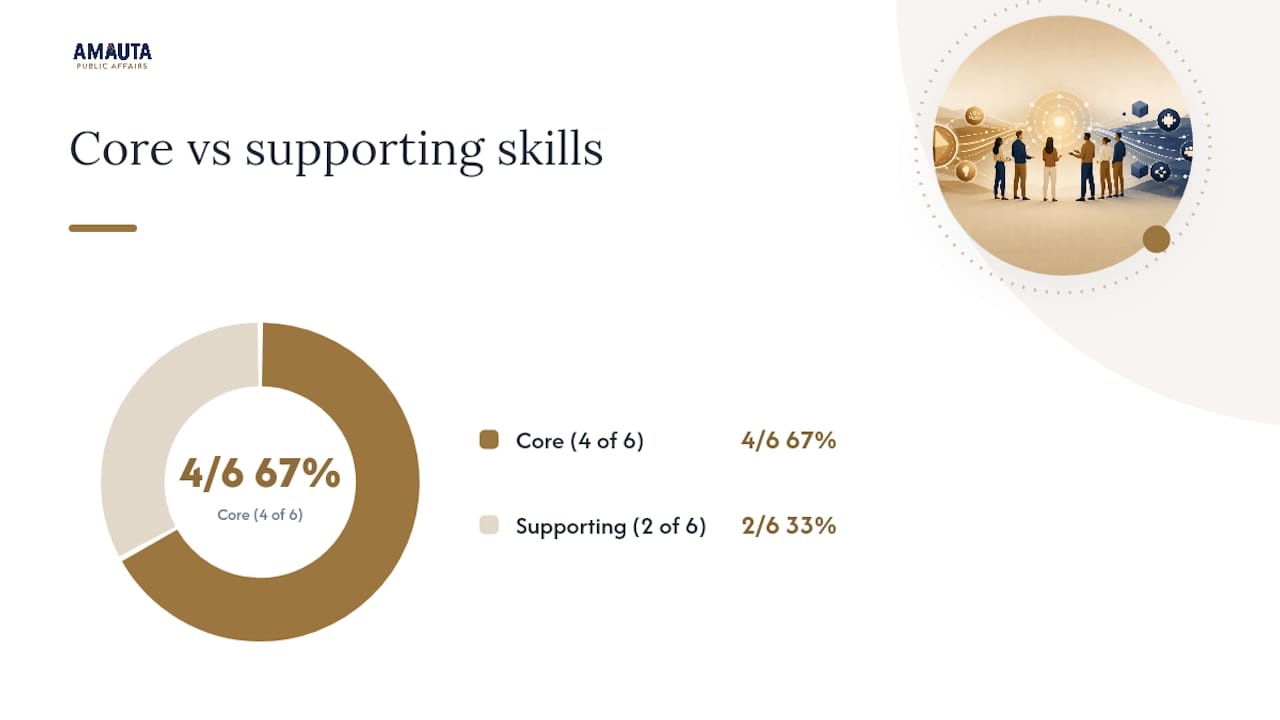
Time management and reading the room round out the list. Time management is the visible clock and the willingness to cut a tangent short. Reading the room is quieter: noticing when body language, a long pause, or a sudden shift to yes-and-no answers signals disengagement or discomfort before it becomes a problem.
Here’s how to build each skill with a short drill:
Active listening drill: In your next meeting, paraphrase the last speaker’s point in one sentence before responding. Do this three times and notice how much more precisely people start speaking to you.
Neutrality drill: Practice replacing “I think we should…” with “What are the options here?” Count how many times you catch yourself before you say it.
Questioning drill: Write three open-ended questions before a meeting starts. Use at least one instead of improvising in the moment.
Synthesis drill: Every ten minutes, pause and say, “Here’s what I’m hearing so far…” Time it. If it takes more than 20 seconds, your summary is too long.
Time management drill: Set a visible timer for one agenda item this week and stop discussion when it hits zero, even mid-sentence.
Reading the room drill: Pick one meeting and track, silently, who has spoken and who hasn’t by minute 15. Adjust your questions to bring in the quiet half.
Pro Tip: Record yourself facilitating a low-stakes meeting once. Most people are stunned by how often they talk over silence that participants actually needed to think.
Preparing a Meeting: Purpose, Agenda, Roles, and Logistics
Poor facilitation usually starts before the meeting does. The 6 Ps framework from University of Minnesota Extension organizes preparation around Purpose, People, Product, Process, Preparation, and Pace, and it holds up well as a planning checklist for meetings of any size.
Start with purpose, because everything else depends on it. Write a single sentence that states why the meeting needs to happen and what decision or output it should produce, then put that sentence in the calendar invite itself. If you can’t compress the reason for meeting into one sentence, the meeting probably isn’t ready to be scheduled. McKinsey’s research on effective meetings treats meeting time as a genuinely scarce resource and recommends asking, before anything else, whether a meeting is even necessary for the outcome you need.
Follow this sequence when you build the agenda:
List agenda items in order of impact, not convenience. Put the item that most needs group input first, while attention is highest.
Assign a timebox to each item. Ten minutes for a status update, twenty for a decision that needs debate. Write the minutes next to the item so the room can see the clock too.
Name an owner for each item. The owner presents the topic and states what decision or input they’re looking for from the group.
State the desired outcome next to each item. “Decision,” “input only,” and “FYI” are different modes, and conflating them wastes time.
Send prework separately from the agenda. Long background documents buried inside the invite rarely get read; a short summary with a link to detail performs better.
Roles matter more than most first-time facilitators expect. A meeting with five to seven participants and clearly defined roles produces sharper decisions than a larger group with vague accountability, according to McKinsey’s analysis of effective meetings. At minimum, assign a facilitator to run process, a scribe to capture decisions, a timekeeper if the facilitator is also presenting content, and a named decision owner who has final say if consensus stalls.
Before you send the invite, run through a short logistics check:
Confirm the room or platform can handle the group size without people crowded around one laptop.
Test screen share, whiteboard tools, or voting apps the day before, not five minutes before.
Check whether captioning or an interpreter is needed for any participant.
Note time zones explicitly in the invite if attendees span more than one.
Confirm document access for everyone who needs to see materials during the session, not after.
A stakeholder mapping template is worth building into this stage if your meeting involves multiple interest groups with different stakes in the outcome. Knowing who needs a voice, who needs a heads-up, and who just needs the summary afterward changes who you actually invite.
How to Run a Meeting: Openings, Ground Rules, and Participation
The first ninety seconds of a meeting set the tone for the rest of it. Wharton’s research on running better meetings found that priming participants with a positive opener, a short story, or a quick statement of why the topic matters creates a shared mental model before the group dives into content. A flat “okay, let’s get started” wastes that opportunity.
Try opening with a power lead: one sentence that states the stakes (“If we don’t decide on the site plan today, we lose our window with the planning commission”) followed immediately by the first agenda item. It works better than small talk alone, though a brief warm-up still earns its place. A one-minute check-in before the formal agenda begins helps quieter participants settle in and reduces the pressure to perform, a dynamic psychological safety research ties directly to how much people participate later in the same conversation.
Set ground rules once, out loud, and refer back to them instead of re-negotiating behavior mid-meeting. Three rules cover most situations: one conversation at a time, park tangents instead of chasing them, and decisions get named explicitly before the group moves on.
Participation mechanics matter more than most facilitators give them credit for, because a default open-floor discussion structurally favors the loudest voices in the room:
Round-robins force each person to speak briefly before general discussion opens, which surfaces perspectives that would otherwise stay quiet.
Dot voting turns a sprawling list of options into a visual, ranked shortlist in under five minutes.
Breakout groups work well when a topic needs deeper discussion than the full group can manage in real time, then report back with one key point each.
Visual aids, a shared whiteboard, a running list projected on screen, keep the group anchored to the same information instead of relying on memory.
Visible timers do more to end a tangent gracefully than any verbal interruption.
Synthesize out loud, often, rather than waiting until the end of the meeting. Stanford’s job aid on facilitation recommends confirming decisions and owners in real time, not after the meeting when memory has already started to blur. Say the decision, name who owns the next step, and ask if anyone disagrees before the group moves to the next item.
Pro Tip: If a decision gets made but nobody says who owns the follow-up, treat it as undecided. An orphaned action item is the single most common reason meeting notes turn into a graveyard of good intentions.
Handling Difficult Participants, Tangents, and Tension
Every group has a version of the same three problems: someone dominates, someone disappears, and something explodes into an emotional exchange no one planned for. Precise language handles all three better than instinct does.
For a participant who talks over others or repeats a point, a short interruption works better than silence: “That’s a strong point, let’s park it and come back after we hear from the rest of the group.” For a conversation drifting off-topic, name it plainly rather than letting frustration build: “This is important, but it’s outside today’s scope. Let’s capture it and keep moving.” Stanford’s facilitation guidance recommends a visible parking lot with explicit ownership rules, someone assigned to each parked item and a stated date for revisiting it, so tangents get validated instead of dismissed outright.
To draw out quieter voices without putting anyone on the spot:
Use direct invitations by name: “Maria, you’ve worked on similar projects, what’s your read on this?”
Build in structured turns, where each person gets 60 seconds before open discussion starts.
Give participants think time before asking for verbal answers; a silent minute to jot notes often produces sharper input than an immediate cold call.
Follow up privately after the meeting with anyone who seemed to want to speak but didn’t get the chance.
Know when to stop the meeting itself rather than push through. If a conversation genuinely can’t resolve in the room, take it offline: assign two people to work it out and report back, rather than letting the full group sit through a negotiation that only concerns them. When consensus stalls entirely, that’s what a named decision owner is for. Their job is to make the call and move the group forward, not to keep debating until everyone agrees.
Emotionally charged moments need a different sequence: acknowledge, reframe, channel. Acknowledge the emotion directly (“I can see this decision affects people personally”), reframe the conversation toward what can be controlled (“Let’s focus on what we can change from here”), then channel that energy into a concrete next step. Skipping the acknowledgment and jumping straight to logistics tends to backfire, because it reads as dismissive even when that isn’t the intent.
Adapting Facilitation for Virtual and Hybrid Meetings
Virtual meetings collapse the informal signals a facilitator relies on in person, a nodding head, a raised eyebrow, someone leaning forward to speak. That loss means virtual facilitation needs more structure, not less. Stanford’s job aid notes that remote sessions require more deliberate invitations to speak and richer media than in-person meetings can get away with skipping.
Keep virtual sessions shorter than their in-person equivalent, and if the topic genuinely needs more time, split it into two focused sessions of moderate length rather than one marathon call. Attention degrades faster on video than in a room, and a facilitation resource on productive meetings points to shorter, sharply scoped sessions as more reliable than long ones covering many topics at once.
Build participation into the platform itself:
Polls convert a silent Zoom room into visible, quantified input in under a minute.
Chat gives introverted or lower-bandwidth participants a channel that doesn’t require interrupting an active speaker.
Breakout rooms replicate small-group discussion that a single video call structurally can’t support.
Shared whiteboards keep remote and in-room participants looking at the same object instead of a facilitator’s disembodied voice.
Flattening hierarchy matters more online than in person, because seniority and confidence dominate a video call even more easily than a physical room. Call on junior participants by name before senior ones jump in, and mute your own instinct to fill silence, since a pause on video often just means someone is composing a thought, not that the topic has run dry. Guidance on running virtual town halls covers this dynamic in more depth for larger public-facing sessions where dozens of stakeholders join at once.
A tech and accessibility checklist before you start saves the first ten minutes of most virtual meetings:
Confirm camera and audio work for every presenter, not just the host.
Turn on live captions for any session with more than a handful of attendees.
Share documents in advance and pin the link in the chat at the start of the call.
Assign someone other than the facilitator to monitor chat questions so nothing gets missed mid-discussion.
Pro Tip: In hybrid sessions, appoint one in-room participant as the dedicated “remote advocate,” whose only job is watching for raised virtual hands and chat comments the facilitator might miss while managing the physical room.
Closing the Meeting: Notes, Owners, and Deadlines
A meeting that ends without documented decisions has produced a conversation, not an outcome. The summary you send afterward should capture four things and nothing more: decisions made, who owns each next step, the deadline attached to it, and any open issues still unresolved.
Speed matters here more than polish. UCSF’s guidance on facilitating effective meetings recommends distributing decisions and next steps immediately after the session, and 24 hours is a reasonable outer limit before momentum starts to fade. Store the notes somewhere searchable, a shared drive or project tool, rather than buried in an email thread that only the original recipients can find.
Every parked item from the meeting needs a real destination, not a vague promise to “circle back.” Convert it into one of two things before you close your notes: a scheduled follow-up meeting with a date attached, or a backlog entry with an owner assigned. An item that stays in limbo tends to disappear entirely, and someone eventually asks what happened to a decision that was never actually made.
Close with two short evaluation questions, either sent as a quick follow-up poll or asked verbally in the final minute:
What worked well in how this meeting was run?
What would make the next one more useful?
Answers here compound over time. A facilitator who asks these questions after every session builds a working sense of what their specific group needs, which is more valuable than any generic best-practices list. Documenting these patterns also supports transparent communication practices that stakeholders and clients notice and come to expect from future sessions.
Building Facilitation Skills: A Short Practice Plan
Facilitation improves fastest through repetition with feedback, not through reading. Indeed’s overview of facilitation techniques points to role rotation and peer coaching as two of the fastest ways to build the skill under real conditions rather than in a workshop.
Ask for feedback that targets specific behavior instead of a general rating. “How did I do?” produces a shrug. “Did I interrupt too quickly when the debate got heated?” produces something you can actually act on. Ask one or two of these targeted questions after each session you run.
Here’s a 30-day plan structured around weekly milestones:
Week one: Facilitate one small meeting solo. Focus only on active listening; paraphrase before responding at least three times.
Week two: Add agenda discipline. Timebox every item and enforce the clock even when discussion wants to run long.
Week three: Practice participation mechanics. Use a round-robin or dot vote in at least one meeting, and track who spoke versus who didn’t.
Week four: Ask a colleague to observe one session and answer two targeted questions afterward: Where did I lose the room? Where did I handle a tangent well?
Success checks at each milestone are simple: did decisions get documented, did the meeting end on time, and did more than one or two people account for most of the talking?
Formal facilitation training earns its cost once you’re running meetings with high stakes, unfamiliar group dynamics, or public and multi-stakeholder audiences where a misstep carries real consequences. At that point, structured coaching or facilitation-focused coaching tools can accelerate what informal practice alone takes months to build.
Pro Tip: Rotate the facilitator role within a regular team meeting for a month. Watching three different people run the same recurring meeting teaches more about what “good” looks like than any single training session.
Templates and Tools Worth Keeping On Hand
A few reusable assets remove the friction from meeting preparation, so you’re not rebuilding structure from scratch every week.
Agenda template: columns for purpose, item, owner, timebox, and desired outcome (decision, input, or FYI).
Parking lot template: a running list with columns for item, owner, and the date it will be revisited.
Meeting close checklist: decisions logged, owners named, deadlines attached, notes distributed, evaluation questions sent.
Voting and polling tools: category-level options exist for live polling, dot voting, and quick sentiment checks during a session.
Shared whiteboard tools: useful for any meeting where the group needs to build or organize ideas visually in real time.
AI note-taking tools: increasingly common for capturing decisions and action items automatically, freeing the facilitator to focus on the room instead of the transcript.
Frameworks built for structured consulting sessions, like the operations consulting methods for planning workshops, translate well into internal strategy meetings that need a tighter process than an informal status call.
What Good Facilitation Actually Looks Like in Stakeholder Meetings
Facilitation skill shows its real value the moment a room stops being friendly and starts being contested, which is most of the work Amautapublicaffairs does in community and land use meetings. A developer, a city planner, and a group of residents worried about traffic don’t walk into the same meeting with the same goals. The facilitator’s job isn’t to make everyone agree; it’s to make sure every position gets heard clearly enough that a decision can actually hold once the meeting ends.
The pattern that separates a productive stakeholder session from a chaotic one is almost always preparation, not charisma. A single-sentence purpose in the invite, a named decision owner, and a visible parking lot for the tangents that inevitably surface in public meetings do more than any amount of in-the-room improvisation.
If you’re facilitating a meeting with competing stakeholder interests this month, try one thing: write down, before the meeting starts, exactly what decision needs to happen and who has the authority to make it. Half the conflict in contested meetings comes from nobody agreeing, in advance, on what “done” looks like. Amautapublicaffairs builds this kind of structure into every community engagement strategy it runs, because a meeting without a clear decision owner rarely produces one, no matter how skilled the facilitator is.
— Ignacio
Facilitation support for land use, infrastructure, and development projects, including meeting design, stakeholder engagement, and public affairs strategy, is available through Amautapublicaffairs’s services. For projects specifically tied to land management and permitting processes, the land management practice applies these same facilitation principles to the regulatory meetings where community trust and project timelines are both on the line.
Sources
Recommended
Comments